
Asus Zephyrus G16 (GA605KP) Review: A Gorgeous, Controversial Beauty on My Desk!
Hey everyone! Welcome to the Binoshatech site. I’m Amin Khaligi, and today I want to talk about my new laptop — a device I was really excited to get my hands on: the Asus Zephyrus G16, model GA605KP. This laptop is a complete package for content creation, but it made a few choices in certain areas that genuinely surprised me. Let’s not waste any time and dive right into this fascinating device!

1. Build and Chassis Design (Score: 10/10)
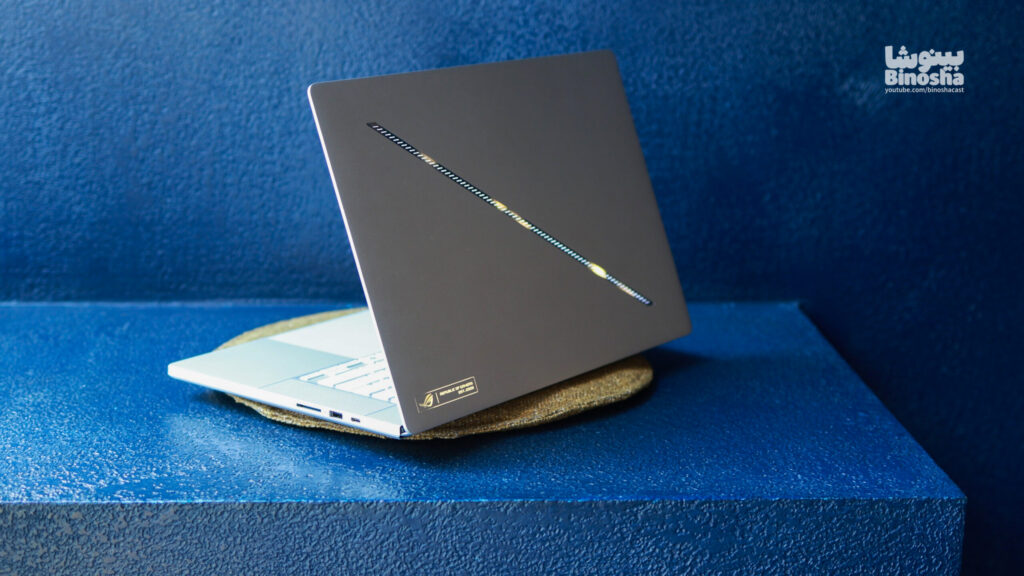
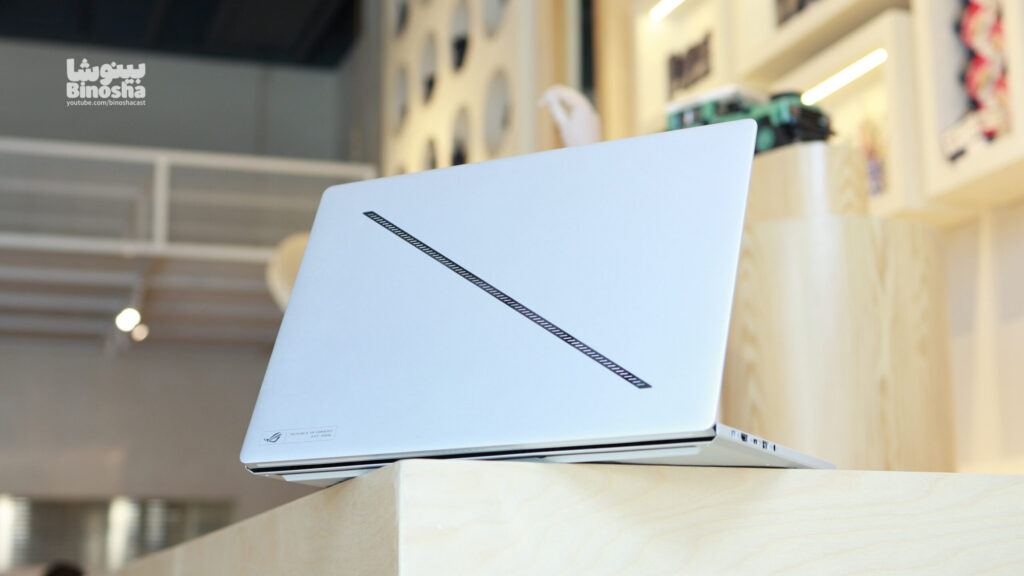
First of all, let’s talk about the design. I love the look and feel of this laptop. The all-aluminum chassis and the linear lighting strip on the back of the device are exactly to my taste. I first saw this design last year on the GU605MI model, and right then I knew I had to have it. Now that this laptop is my own personal machine, I’m even more impressed by its build quality than before.
But when it comes to the keyboard, we have a sad story. Back in 2020, the Zephyrus M15 laptop had a per-key RGB keyboard, but that feature has been dropped ever since. I honestly think Asus needs to bring that capability back to the Zephyrus lineup. The current model has a single-zone RGB keyboard, which is fine in its own right — for instance, on the gray version we reviewed last week (the video is up on the Binoshatech YouTube channel), the RGB colors looked fantastic. But on this white model, the lighting doesn’t really stand out as much. I personally tend to use different shades of blue, since it matches the white chassis and also gives good visibility of the keys.
As for the trackpad… all I can say is it’s excellent! Even my Mac-using friends, who are notoriously picky about trackpads, enjoyed using it. This trackpad is still click-based and doesn’t use haptic feedback like MacBooks do, but it’s still a huge step up compared to previous experiences in the Windows laptop world.

Now onto the ports, which for my work is a fantastic combination. We have four USB ports, two of which are Type-C (one USB 4 and the other 3.2 Gen 2). The USB-A ports also support 10Gbps speeds. Alongside those, there’s an HDMI 2.1 port, and of course my favorite feature, the SD card slot, which can deliver speeds up to 800MB/s! That’s a huge, practical upgrade for content creators. There’s also a dedicated Asus charging port that charges the laptop at 200 watts. Thanks to this smaller charger, the laptop’s weight is kept around 2.3kg, which is lighter than you’d expect, though I still wish they’d included an even smaller GaN charger in the box.
Despite how picky I am about the missing per-key RGB, I love the rest of the details in this section so much that I can’t give the design and build anything less than a 10 out of 10.

2. Display (Score: 10/10)
Alright, let’s talk about this device’s fantastic 16-inch OLED display. Honestly, this is one of the best parts of my new laptop. A 240Hz refresh rate, brightness over 500 nits, and support for G-Sync and HDR content combine to create incredibly vivid and smooth visuals. 100% DCI-P3 color coverage, alongside Nvidia Studio drivers and that same SD card slot I mentioned above, make this laptop a dream machine for content creation.

I’m giving this display a perfect 10 out of 10 as well. I know some people might criticize me over its glossy panel, but given the stunning image quality and performance you get in return, it’s a perfectly reasonable trade-off that I have no issue with.
3. Performance and Hardware (Score: 7/10)
This is where things get a bit complicated. I’ve always had my best and most stable user experience on Windows laptops with AMD processors, but this model’s story is a little different. Asus released the previous model (GA605WI) with a Ryzen 9 HX 370 processor and RTX 4070 graphics, which was a fantastic combination. But now, in this GA605KP, we get a much weaker processor, the Ryzen 7 350, paired with RTX 5070 graphics.
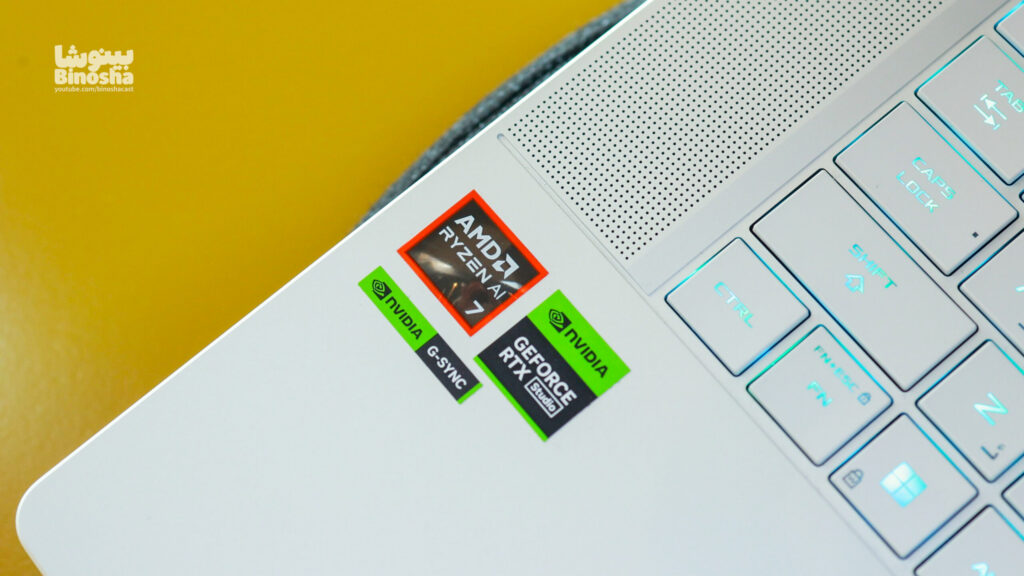
I have two fundamental issues with Asus’s decisions here:
First, why isn’t there an AMD version of this laptop with RTX 5070Ti graphics, when the Intel models go all the way up to the RTX 5090?
Second, and more importantly, why did they downgrade the processor to the Ryzen 7 350? Even the ProArt P16 laptop ships with a Ryzen HX 370 processor and 5070 graphics, and it’s essentially identical to this device in terms of cooling system and motherboard design! How could they not pair this laptop with a more powerful Ryzen 9? They could have at least used a Ryzen 9 365, but they didn’t.
I was forced to buy this $2,500 laptop with a mid-range processor, and that’s simply not acceptable to me. I know my own processing needs, and in practice I may not use all of that extra CPU power, but for a laptop with a price tag north of $2,500, it’s genuinely hard to justify a processor like this.
Of course, if we want to look at the bright side, we have an excellent cooling system for a processor that isn’t all that hot to begin with, and the 5070 graphics don’t generate unusual amounts of heat either, so thermal management on this laptop is very good. That said, the metal chassis can heat up the laptop’s surface during heavy gaming and get a bit uncomfortable (a point I also raised in my review of the GU605CR model).
In the benchmarks, despite all my complaints about the Ryzen 7 350, the results were surprisingly excellent, especially the scores in Adobe apps, which genuinely impressed me and are a great sign for my content-creation workflow. That said, because of this odd processor choice, I’m giving this section a 7 out of 10; Asus wasted a lot of potential here.

| Benchmarks | ||
|---|---|---|
| CPU Performance | ||
| Cinebench 2024 | 113 | 929 |
| Cinebench 2026 | 627 | 3561 |
| Geekbench 6 | 2764 | 13011 |
| Cinebench R23 | 1940 | 16345 |
| GPU Performance | ||
| Cinebench 2026 GPU | 43839 | |
| TimeSpy | 12578 | |
| Rendering Performance | ||
| Adobe Pr | 4min26sec | |
| Adobe AE | 4min29sec | |
| Blender | 4100 | |
4. Speakers, Webcam, and Battery Life
Let’s take a look at the other key features. First up, the speakers — they’re truly a masterpiece! I’ve fallen in love with listening to music on this laptop, and I have to admit it has some of the best speakers you’ll find in the laptop world.
The device’s webcam has a 1080p sensor with decent quality, and it also supports Windows Hello facial recognition. My only complaint here is the lack of a physical switch or shutter to cover the webcam, which isn’t ideal from a privacy standpoint.
And finally, battery life! This laptop’s 90Wh battery delivers fantastic endurance. You can easily get up to 10 hours of use out of it, and you won’t need to carry a charger with you every day. In fact, this incredible battery life was one of the main reasons I chose to buy this device in the first place.

Final Verdict
Overall, I’m genuinely enjoying working with my new laptop. Its design, display quality, and battery life are all at the highest possible level. That said, I can’t easily overlook the processor downgrade issue. It’s a bit disappointing, and I hope I don’t come to regret my decision to buy this configuration in the long run. I was looking for a device with stable performance and great battery life, and the Zephyrus G16 easily checks those boxes, though it had the potential to become an absolutely flawless masterpiece.
Thanks for sticking with me through this whole written review. Be sure to leave your thoughts in the comments section on the Binoshatech site!
Your Comments
You need to log in to your account to comment.
Log in / Sign upStill good after a year, but the battery has gotten a bit weak
This laptop’s battery is my nightmare!
hkazazi
2 months agoYeah really. Only Lenovo is good
Too bad it’s white, otherwise it’d be amazing!