

Introduction If you recall, the review of the previous generation of this device was met with an incredible reception in Binosha; a laptop that was so affordable and efficient that it quickly became scarce on the market when it was released. Now, the new version of this series, the Lenovo Ideapad Pro 5 laptop, is on our review table. The main question is: can this new version be as powerful, attractive, and as good a purchase value as its predecessor? In this article, we will conduct an in-depth and comprehensive review of this device to answer this question.
Design, build quality and portability
Lenovo has used a combination of aluminum and compressed plastic to build the body and chassis of this model. The build quality of the device is at a very good level and in everyday use, it gives the user the feeling of a well-made and premium laptop.
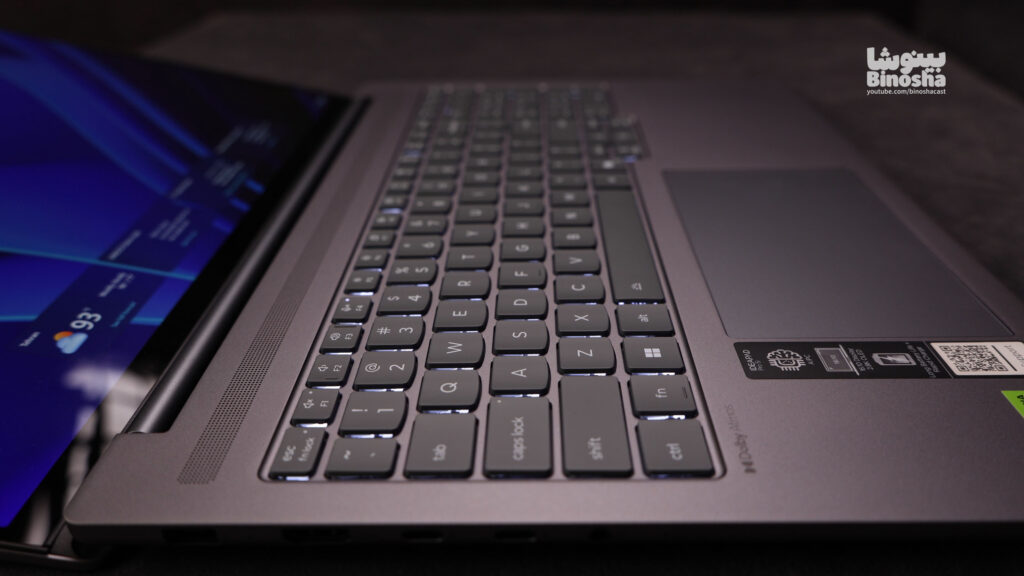
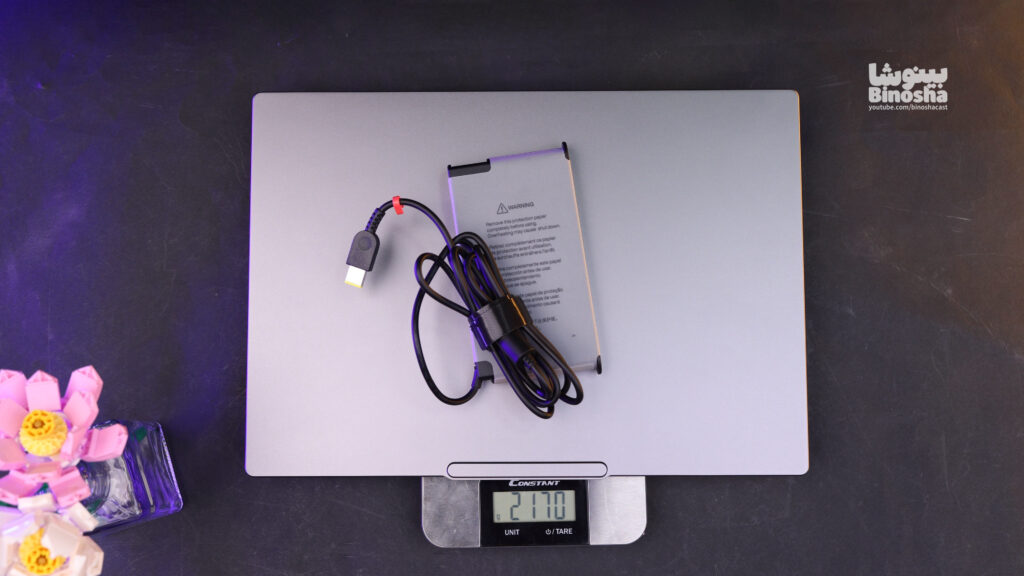
However, there is a strange weakness in the design; a laptop that sells in the $1,500-$2,000 price range would be expected to have softer hinges. Unfortunately, it is not possible to open the laptop door with one hand, which is a bit disappointing in this price class. Of course, the positive side of these stiff hinges is that once opened, the screen wobbles very little and remains completely stable. In terms of portability, we are faced with a balanced laptop. The weight of the device itself is about 2 kg. A 170-watt charger is included in the box, which if carried, the total weight reaches about 2.4 kg. Fortunately, thanks to the proper charging and the possibility of charging with the Type-C port, you will not need to carry the original charger in many cases.
- Design and body rating: 9 out of 10
Keyboard, touchpad and communication ports
Opening the device, we are faced with a full-size keyboard (with a numpad). The typing experience is very enjoyable; although, if we were to judge strictly, it does not reach the level of Lenovo’s masterpiece keyboards in the Legion, Yoga or ThinkPad series, it performs much better compared to competitors such as the Asus TUF series. Also, as expected from the non-gaming nature of this laptop, there is no RGB lighting on the keyboard.

But in the touchpad department, things are not so good. The quality and dimensions of the touchpad are not impressive, and its location could have been better. We recommend that you use a separate mouse for professional work.
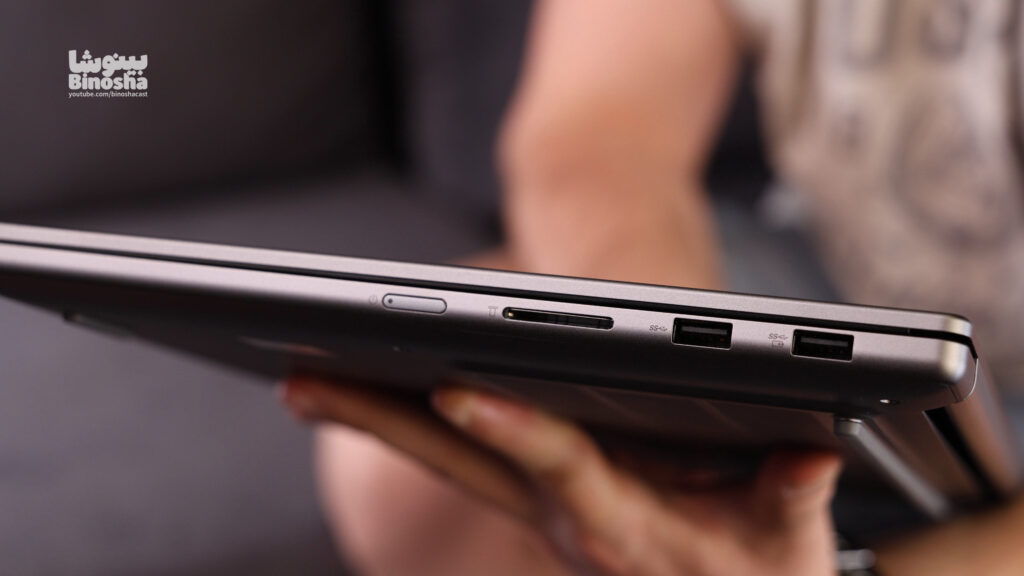
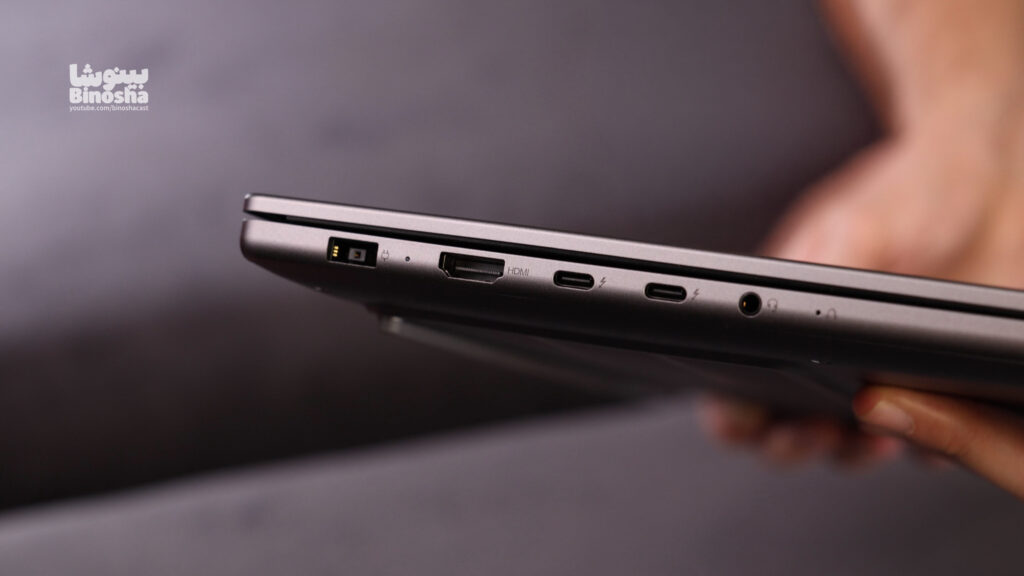
In the port department, Lenovo has been very generous. This laptop is equipped with two Thunderbolt 4 ports, an HDMI 2.1 port, a 3.5mm audio jack, and two USB-A ports (with a speed of 5Gbps). But the most interesting part for content creators is the presence of a full-size SD Card port! Considering that the target audience of this laptop is editors and photographers, the presence of this port is a big advantage; although its speed is limited to 100 MB/s and we expected it to support higher speeds (like 300 MB/s).
Screen; Old Magic
Coming to the most interesting part of this review, the display, is where the Lenovo Ideapad Pro 5 excels. It features an OLED panel with a refresh rate of 120Hz and support for VRR (variable refresh rate) technology. Unlike many Windows laptops, this device can adjust the refresh rate very smoothly and intelligently.
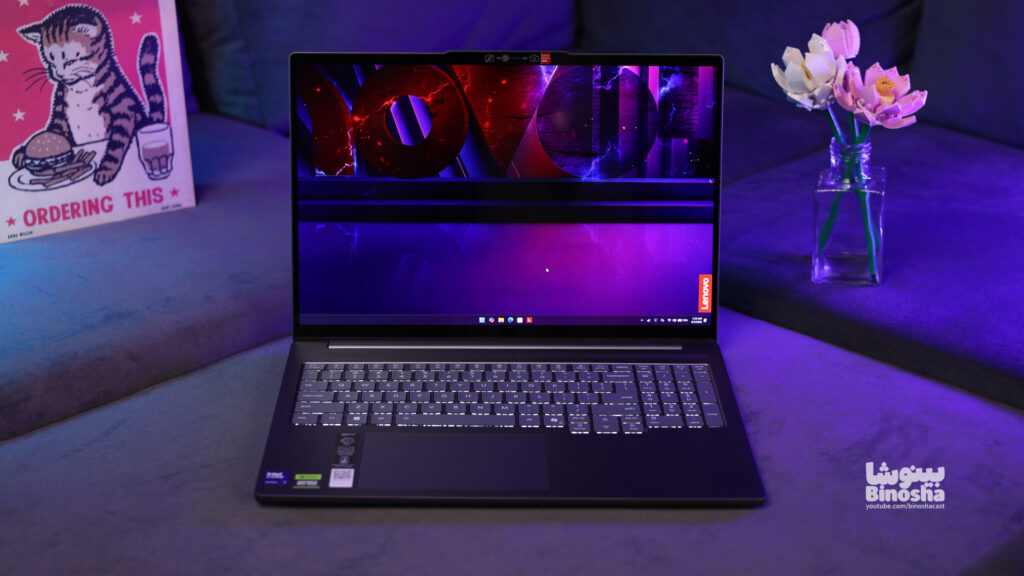
Thanks to the OLED panel, color accuracy is at the highest possible level, and the excellent 2.8K resolution makes for a stunning visual experience. The display’s base brightness is 500 nits, but when watching HDR content, the brightness can increase to 1100 nits in some areas. Finally, the display’s support for touch controls completes the argument, leaving no room for criticism in this department.
- Screen rating: 10 out of 10 (perfect)
Hardware and processing performance
The Lenovo IdeaPad Pro 5 is one of the best choices on the market for users whose main priority is not gaming, but who need a powerful laptop.

You might be wondering why, with the same budget, we can’t go for a laptop like the Lenovo LOQ or Asus TUF with a more powerful processor and graphics? The reason is clear; a buyer who goes for the 255H processor and 105W RTX 5050 graphics is looking for an OLED display, full ports, and the use of Nvidia Studio drivers for specialized software, not the best cooling system or the highest frame rates in games. (It should be noted that this laptop is also available with more powerful configurations such as RTX 5060 graphics).

The cooling system of this device is perfectly optimized for handling heavy processing in photo and video editing software. But why is this laptop not suitable for hardcore gamers? The main reason is the lack of support for the MUX Switch feature, which means that you cannot use the full potential of the graphics to get the highest frame rates in games. However, in benchmark tests and output from editing software, this device performed wonderfully and showed that it is an all-round machine for its intended use.
| Benchmarks | ||
|---|---|---|
| Processor performance | ||
| Cinebench 2024 | 119 | 1051 |
| Cinebench 2026 | 464 | 4384 |
| Geekbench 6 | 2699 | 15589 |
| Graphics performance | ||
| Cinebench 2026 GPU | 37970 | |
| TimeSpy | 9661 | |
| Steel Nomad | 3760 | |
| Rendering performance | ||
| Adobe Pr | 4min8sec | |
| Adobe AE | 5min30sec | |
| Blender | 2731.25 | |
But my biggest problem with this laptop is its 16GB RAM, which may be a poor choice for video editing and even photo editing. Personally, if I were looking for a laptop that I could use to do video editing, I would never choose a device with 16GB of non-upgradeable RAM.
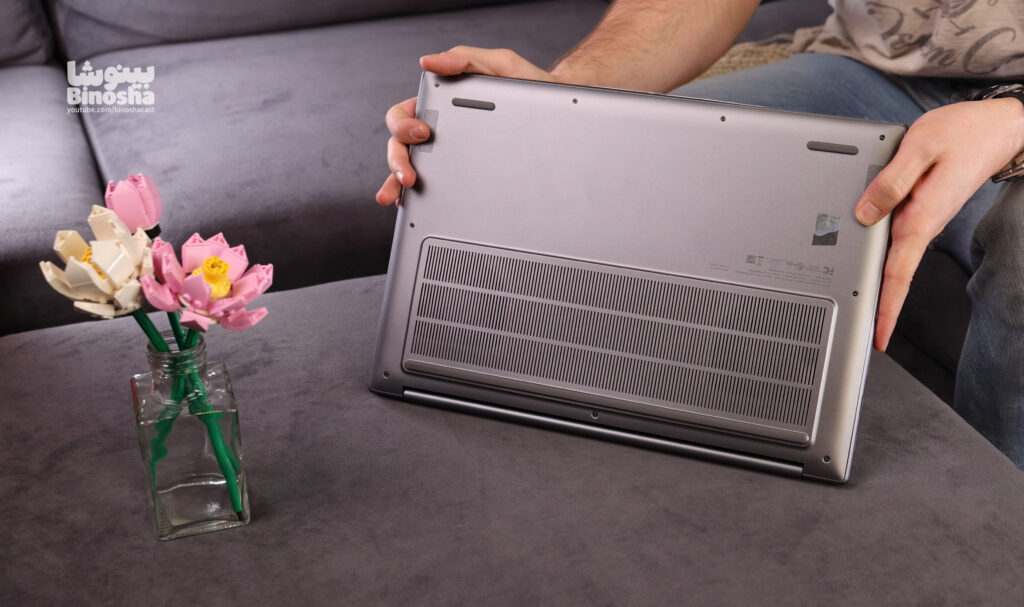
- Performance rating: 7 out of 10 (due to more powerful raw hardware in this price range, but excellent performance in its specialized use).
Speaker, webcam and battery
- Speakers: The sound quality is rated at “acceptable.” The speakers get the job done, but don’t expect immersive sound or deep bass, and you’ll probably need headphones for professional editing.
-
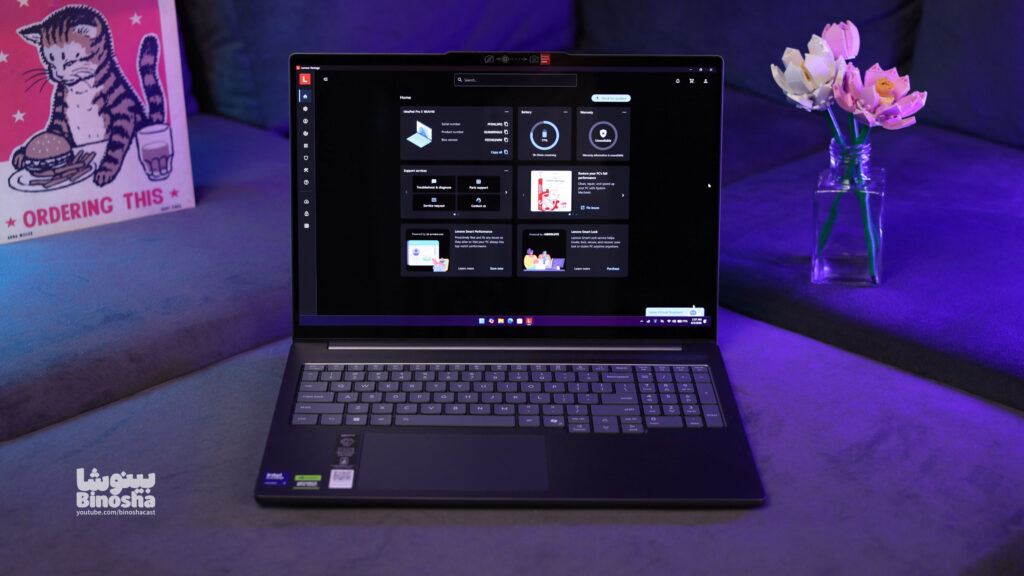
Lenovo Ideapad Pro 5 - Webcam: The device’s camera features a 1080p sensor, which offers reasonable quality for video calls and online meetings.
- Battery: Lenovo has used an 84Wh battery in this model. Although the battery capacity could have been a little higher to cover a full work day, in our standard tests it was able to last around 7 hours, which is a decent and satisfactory number for a device with these specifications.
Final conclusion
Ultimately, the Lenovo Ideapad Pro 5 is a great value laptop. If you can live with the stiff hinges and don’t care about getting the highest frame rates in heavy games, this is a great choice. It offers everything you need for a professional environment for video editing, photo editing, and even 3D rendering, all in a beautiful design and a stunning display.
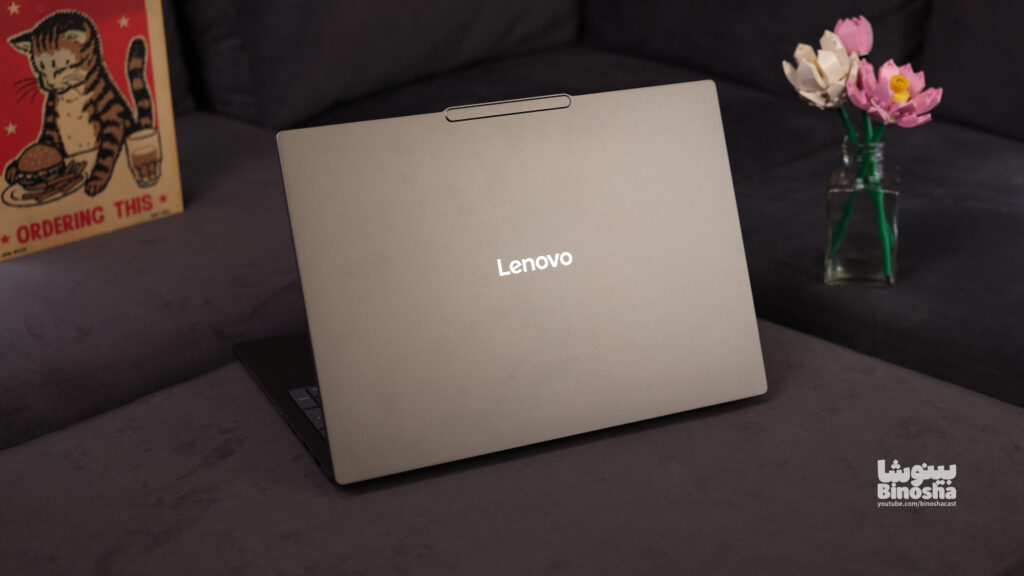
- Binosha’s final score for this laptop: 7 out of 10
Share your thoughts and experiences with this laptop in the comments section. Would you buy this laptop or do you prefer gaming rivals in this price range?
Your Comments
You need to log in to your account to comment.
Log in / Sign up