
Introduction:
If you’re looking for an all-around, smart companion that turns heads the moment you pull it out of your bag with its swiveling design and distinctive class, the HP OmniBook X 16 Flip was made exactly for you. This device is nothing like ordinary laptops; this time, HP has genuinely pushed the boundaries of creativity by pairing an AMD Ryzen AI 5 340 processor with Radeon 840M graphics. Here we have 16GB of high-speed RAM that puts your mind at ease so you can switch between a bunch of different apps, create content, or play around with the new AI features without a single hitch. In this review, we’re going to see how this engineering masterpiece manages to pack the power of an “AI computer” into a slim, flexible chassis. So if you, like me, love innovative technology and smart performance, stick with me as we find out just how good a buy this new HP model really is!
Design and Build
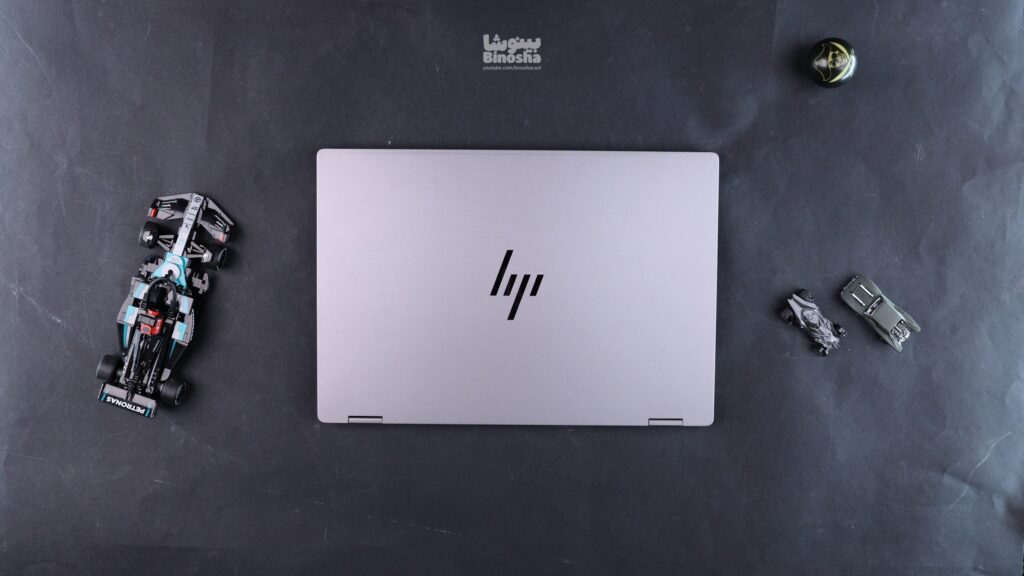
The look of the HP OmniBook X 16 Flip is genuinely captivating! This time HP has given itself free rein, and alongside the classic “Meteor Silver” color, it has also released a distinctive “Ceramic White” option, each with its own unique beauty. The moment you touch the laptop, the unibody build and that cool feel of the recycled aluminum instantly tell you you’re dealing with a premium, well-built product, not a plastic toy.
The chassis feels extremely solid and sturdy under your hand, and it gives you a sense of security while typing. That said, let me be honest; because the display lid is so thin, it has a bit of flex under pressure, which is natural for today’s slim devices, but rest assured, this isn’t anything to worry about and doesn’t hurt the device’s overall durability at all. The nice part is that the matte body doesn’t get along too well with fingerprints and smudges, so it always looks clean. The rubber feet underneath also do their job perfectly, holding the laptop rock-steady on a desk.

Laptop Hinges
Opening angle: 360 degrees
Stability: Excellent
Single-hand opening: Yes
The hinges on this laptop truly perform at the level of a premium, top-tier product; their action is so smooth yet firm that from the very first time you move the lid, you feel like you’re dealing with a luxurious, high-quality device. Interestingly, even if you grab the display by its top edges and shake it, the wobble is so minimal it’s barely noticeable. This stability shows itself while typing too; even if you type fast and hard, the screen stays rock-solid, with none of that annoying extra wobble to distract you. Overall, rest assured the hinges hold the 16-inch display firm and steady at every angle.
Portability
Screen size: 16 inches (≈ 40.6 cm)
Thickness: 1.55 cm
Width: 35.61 cm
Depth: 24.56 cm
Total volume: about 1,355 cm³
Laptop weight: 1.9 kg
Charger volume: about 200 cm³
Charger weight: 0.2 kg
In terms of dimensions and weight, the HP OmniBook X 16 Flip sits right at that golden point we call “light and easy to handle.” This laptop performs really well within the convertible category, and for people who are constantly on the move between home, the office, or coffee shops, it’s an ideal choice.
Even if you take short business trips or move around a lot every day, its weight and bulk won’t wear you out at all and it travels with you very comfortably. Another point in its favor is the compact, lightweight USB-C adapter; unlike the huge chargers of the past, this one fits easily into the corner of your bag and doesn’t add extra weight on your shoulders. Overall, for a 16-inch laptop with this many features, carrying it around is a lot easier than you’d expect.
Repairability and Upgradability
RAM Slots: None (RAM is onboard and non-replaceable)
Storage Slots: One
Replaceable battery: Yes
Replaceable wireless card: No (authorized service providers only)
Getting inside the HP OmniBook X 16 Flip is designed to be fairly simple; you just need to remove the body screws and release the clips with a dedicated plastic tool. Fortunately, HP has used captive screws, which stay attached to the panel and don’t get lost; this makes lifting off the back panel quick and hassle-free.
Once you open the device, the first thing you should know is that the RAM is designed as onboard memory; meaning the RAM chips are soldered to the motherboard and there’s no slot for adding more RAM, so you need to pay attention to the capacity you need right from the moment of purchase. But the story is different for storage! To reach the SSD and Wi-Fi card, you just need to disconnect the battery and remove the SSD’s protective shield. The drive slot supports blazing-fast M.2 2280 Gen 4 and even Gen 5 (PCIe Gen 5) SSDs; meaning if you later feel you’re running low on space, you can significantly boost the device’s capacity and speed with a simple upgrade.
In the Box
Power adapter: 65W USB-C
Note: even though every model ships with the same 65W charger, the device does have more potential; meaning if you have adapters compatible with higher wattage, you can also take advantage of faster charging to get the battery to 100% in the shortest possible time.

Display
Resolution: 1920×1200
Aspect ratio: 16:10
Pixel density (PPI): 141 pixels per inch
Panel type: IPS
Screen-to-body ratio: 85%
Refresh rate: 60 Hz
sRGB: 62.5%
Adobe RGB: 45%
DCI-P3: 47%
VRR support: None
Maximum brightness: 400 nits
Minimum brightness: 5 nits
Coating type: Glossy
Touchscreen: Yes
When it comes to the HP OmniBook X 16 Flip‘s display, you need to tread carefully. HP has lined up a wide range of panels for this device, but the model we’re reviewing here is the weakest and most budget-oriented member of the family. This FHD+ IPS panel with WUXGA resolution, unfortunately, is the biggest weak point of this configuration, and if you’re expecting a stunning picture, it will probably disappoint you.
The first thing that dampens the user’s enthusiasm is this panel’s very limited color coverage. Coverage of around 62% of the sRGB color space means the colors don’t have the vibrancy and accuracy they should; reds skew toward orange and greens lack the depth they need. On top of that, the refresh rate is locked at 60 Hz, which in 2025, for a laptop at this price point, feels a bit unexpected and even tiring, especially once you’re used to the smoothness of 120Hz displays.
The next downside is the 1200:1 contrast ratio. It might not look like a bad number on paper, but in practice it means black doesn’t have any real depth and looks more like dark gray. The lack of HDR is also the final blow to this display, meaning watching high-quality films on this device won’t give you the visual enjoyment you’re after. Even though this panel is made by the well-known company BOE, its quality is clearly miles away from the brilliant displays HP puts on the Spectre line, or even the OLED versions of this same model.
Indoors and under artificial light, the screen brightness isn’t bad, but the moment you get near a window or step outside, the glossy finish of the display becomes seriously annoying. Unlike pricier models with professional anti-glare coatings, here the glossy layer acts like a mirror, constantly reflecting you and your surroundings back into the picture. That said, this glossiness does make touch interaction feel nice, but overall, this panel is only really suited to web browsing, typing, and simple office tasks.
Bottom line on this section: if your work involves photos, video, or even serious movie watching, this display version is simply not recommended. HP has also made fantastic versions of this laptop with a 2.8K OLED panel and a 120Hz refresh rate that cover 100% of the DCI-P3 color space. So if it’s within your budget, definitely stretch a little further and go for the OLED version so your experience with this laptop is a genuinely enjoyable one.

Keyboard and Touchpad
Keyboard backlight: Single-zone white (color not adjustable)
Touchpad size: 115 cm²
Touchpad material: Glass
When it comes to the HP OmniBook X 16 Flip‘s keyboard, I have to say it’s genuinely excellent! The key layout is fully standard and user-friendly, and even the arrow keys are placed in the best possible spot. But what really grabs your attention is the typing quality on this device; key feedback (tactile response) is great and the key travel distance is exactly what it should be. The keys sit firm and solid with no wobble, giving you a soft, quiet, yet decisive typing experience. Finally, this model has a clean, uniform white backlight that, unlike the colorful gaming models, gives the device a certain dignity and really conveys a professional feel.
Now let’s get to the touchpad… if I’m honest, the experience of using it stays at the level of “not bad.” While the glass surface is wonderfully smooth and your finger glides across it easily, it’s not the biggest glass touchpad in the world, and for a 16-inch laptop, you might have expected a larger work area. That said, we shouldn’t forget that since we’re dealing with a high-quality touchscreen and do a lot of things directly on the screen itself, the touchpad’s ordinary size is something you can overlook and let go. The saving grace of this section is its very strong palm rejection system; meaning when you’re typing fast or using the pen, no unwanted movement or click breaks your focus. The touchpad clicks also have a soft, pleasant sound that fully matches the overall class of the device.
Speakers, Webcam and Microphone
Maximum speaker volume: 80 dB SPL
Webcam resolution: 5MP 1080p
Face unlock support: Yes (Windows Hello with IR)
The HP OmniBook X 16 Flip‘s speakers are hidden right under those narrow grilles along the front edge of the keyboard. As for the listening experience, the volume is plenty to fill a small room, and even when you crank the volume all the way up, the sound doesn’t fall apart and keeps its quality. Stereo separation is done really well and the sound comes through nice and clear; that said, you shouldn’t expect very deep, rumbling bass. The bass is mild, and at high volumes, the mids get a touch sharp. Overall it’s great for watching movies, YouTube browsing, and listening to regular music, but if you’re a bass-head, definitely keep a good headset nearby.
As for this model’s webcam, I have to say HP really went all out, and its performance is genuinely not disappointing. In good lighting, images come out sharp and highly detailed, and colors look completely natural. Of course, like most webcams, some noise creeps in under low light, and fast motion can get a bit blurry, but for work meetings, online classes, or even a simple stream, it gets the job done nicely.
Another nice touch is this laptop’s dual microphones, which have really good recording quality. These mics are designed to filter out ambient noise (like laptop fan or AC sound) well, so your voice comes through clearly on the other end. Just keep in mind that during sudden sounds like clapping, the noise-cancellation system might compress the audio a bit. And finally, a big thumbs-up for the physical camera shutter! HP has included a specially designed physical cover that puts your mind at ease about privacy; its design is such that you can tell at a glance whether the camera is open or closed.

Connectivity and Ports: Minimal, Modern, But Speed-Limited
USB-A Ports
2, both USB 3.2 Gen 1 (up to 5 Gbps). One of them can charge connected devices even when the laptop is off.
USB-C Ports
2, one Thunderbolt 4 (40 Gbps) with charging, DisplayPort 1.4, and dual 4K@60Hz or single 8K@60Hz display output; the other USB 3.2 Gen 2 (10 Gbps) with Power Delivery and DisplayPort.
Thunderbolt
Full Thunderbolt 4 (one port)
USB-C Charging
Supported (up to 65W via USB-C)
USB-C Display Out
Fully supported (DisplayPort 1.4)
HDMI
One HDMI 2.1 port supporting 4K@120Hz and 8K@60Hz
DisplayPort
Via the Thunderbolt 4 port (no separate port)
3.5mm Jack
Combo headphone/microphone jack
Card Reader
None
Ethernet
None
Proprietary Port
None
Security Lock
None
Wi-Fi
Wi-Fi 7 (802.11be) with 6GHz band support. Qualcomm FastConnect 7800 (2×2) adapter for fast, stable, low-latency connections.
Bluetooth
Version 5.4 with low power consumption and reliable connections to peripheral devices.
Looking at the edges of the Surface Pro (12-inch), we can see that Microsoft has laid out a minimal set of ports for mobile users. One of the main strengths is the presence of two USB-C 3.2 Gen 2 ports. It’s true that this model doesn’t have faster technologies like Thunderbolt or USB4, but these ports are still fully capable at 10 Gbps. With a single cable, you can output video (with support for 4K monitors at high refresh rates) while also transferring data at a decent speed. There’s also the ability to charge the device through these same ports (even while powered off), which is very handy.
Dongle Life: Of course, let’s be honest; in this slim design, Microsoft has been ruthless. There’s no Ethernet port, no SD card reader, and not even a headphone jack. If you’re a photographer or need a wired internet connection, buying a USB-C hub (dongle) becomes more essential than your daily bread. The dedicated Surface Connect port is still there too, for charging and proprietary docks.
Wireless connectivity: On the wireless side, we’re dealing with stable, proven standards. Using Wi-Fi 6E (6GHz band) and Bluetooth 5.3 means you get reliable, low-latency connectivity. It might not measure up to Wi-Fi 7 on paper, but in practice, and in crowded environments, it holds up very well and keeps you connected without any drop in speed.
Hardware Details
Processor (CPU)
Brand
AMD
Model
Ryzen AI 5 340
Core count
6
Thread count
12
When it comes to the processing power of the HP OmniBook X 16 Flip, HP hasn’t settled for just one option and instead lays out an open menu of the latest AI chips in front of you. This laptop is a battlefield between Team Blue (Intel) and Team Red (AMD), each showing off their newest weapons. Depending on which configuration you find on the market, the beating heart of your device will be one of the following:
Team Intel (Core Ultra “Lunar Lake” Series 2):
-
Intel Core Ultra 5 (226V / 228V): the optimal options for everyday tasks.
-
Intel Core Ultra 7 (256V / 258V) & Ultra 9 (288V): low-power flagships with a special focus on long battery life.
Team AMD (Ryzen AI 300 series – Zen 5):
-
AMD Ryzen AI 9 (HX 370 / 365): the processing giants of the family for top-tier performance.
-
AMD Ryzen AI 7 360: a balanced, powerful option for multitasking.
-
AMD Ryzen AI 5 340: a nimble 6-core processor with clock speeds up to 4.8GHz that strikes an excellent balance between power draw and performance. (The model reviewed by the Binosha team)
In this review, we worked with the base but still powerful AMD Ryzen AI 5 340. This 6-core chip, unlike some of its newer rivals, has stayed loyal to the popular “multithreading” (SMT) tradition and gives you 12 processing threads. With clock speeds peaking at up to 4.8GHz, this processor delivers better-than-expected performance in handling simultaneous tasks and multitasking. That said, if you feel you need more raw power, its bigger sibling, the Ryzen AI 7 360 with 8 cores and 16 threads, is ready to step onto the field.
But why is this processor special? The story isn’t just about speed; it’s about “intelligence.” This series of processors is equipped with a dedicated Neural Processing Unit (NPU), which is your gateway into the world of Copilot+ and next-generation software. This NPU takes AI tasks off the shoulders of the main processor, so power consumption becomes more efficient and the device stays cooler. You might only use it today for video-call effects or smart search, but in fact, by buying this device, you’re investing in a future where software will be far smarter.

Graphics (GPU)
Brand
AMD
Model
Radeon 840M
Dedicated/Integrated
Integrated (with the processor)
VRAM size
Shared from system RAM (up to 16GB LPDDR5x)
Total Graphics Power (TGP)
About 15-30W (dynamic based on load)
On the graphics side, HP has really been generous and presents us with a list of the most modern chips. Let’s be upfront; we’re dealing with a slim, light, convertible (2-in-1) laptop, so naturally there’s no room for huge, power-hungry discrete graphics cards. But the good news is that the new generation of integrated (onboard) graphics has grown up so much that they’re no longer those helpless creatures of the past, and they can surprise plenty of users.
Depending on whether you lean toward Team Blue (Intel) or Team Red (AMD), here are the options in front of you:
In Intel-equipped models (Core Ultra series):
-
Intel Arc Graphics 140V: the most powerful integrated graphics Intel has ever built; a big leap forward for graphics-heavy work.
-
Intel Arc Graphics 130V: the base, highly optimized version found in the Core Ultra 5 models.
In AMD-equipped models (with advanced RDNA 3.5 architecture):
-
AMD Radeon 890M / 880M: the flagships of this family, whose power goes toe-to-toe with some older discrete graphics cards.
-
AMD Radeon 860M: the mid-range, appealing option that strikes a sweet balance between reasonable price and acceptable performance.
-
AMD Radeon 840M: (the model reviewed by the Binosha team)
Small but fiery! The version under our team’s microscope drew its power from the Radeon 840M graphics. Seeing the name, you might say “well, that’s the base model!” but don’t rush to judge. The RDNA 3.5 architecture truly works wonders here. This graphics chip is a loyal, quiet companion for everyday tasks. Editing layered files in Photoshop? Smooth playback of heavy 4K and 8K videos? Or even heavy browsing? It handles all of it like a piece of cake.
But what about gaming? Let’s be honest; this laptop isn’t built for running heavy AAA titles at Ultra settings. That said, the Radeon 840M won’t let you down. In competitive, lighter games like Valorant, League of Legends, or even FC 24 (with sensibly managed graphics settings), you’ll get a smooth, enjoyable experience.
The golden point here is that the Radeon 840M smartly uses the device’s high-speed RAM as graphics memory, and it’s engineered to put the least possible strain on the battery. The result? A laptop that stays cool even under image-processing workloads, and whose battery life won’t leave you stranded halfway through the day. If you’re not a hardcore gamer and your priority is a device that’s fast, smooth, and long-lasting all day long, this graphics combo is designed exactly for your lifestyle.
RAM
Capacity
16GB
Module count
Onboard (soldered)
Type
LPDDR5x
Speed
7500 MHz
In the world of modern laptops, speed is king, and the HP OmniBook X 16 Flip is no exception to that rule. To make sure the processor and the AI unit (NPU) are properly fed, HP has used fast, optimized, next-generation memory.
Let’s get a little technical, but keep it simple. A speed of 7500MHz means a tremendous amount of bandwidth is available to the processor! This high speed isn’t just for opening Chrome tabs; it’s exactly what modern processors need for smooth AI performance and heavy multitasking. In our tests, switching between apps happens very quickly and the system never feels sluggish.
A friendly, honest piece of advice: here’s something very important you should pay attention to: the RAM on this device is soldered to the motherboard. This makes the laptop slimmer and lighter, but at the cost of losing “upgradability.” What does that mean? It means you can’t open up the back of the device later and add more RAM. If you’re someone who does very heavy work, or you want to future-proof your laptop for the next 4-5 years, our friendly suggestion is that if your budget allows, go for the 32GB version right from the start. But if your use case is everyday tasks, office work, browsing, and light editing, this same 16GB version (the one reviewed here) will meet your needs for years to come, and you won’t feel any shortage.
Storage
Rated capacity
1000GB
Usable capacity
931GB
Drive 1
Samsung MZVL2750 or similar NVMe SSD, no RAID support
If you remember, in the previous section we complained a bit about the soldered RAM, but now, in the storage section, HP has some good news for us and wins us back over. Here there are no strange, arbitrary limitations, and you’re free to choose and even change things later.
In our testing, we encountered fast storage that brought Windows and apps up in the blink of an eye. The read and write speeds of these drives are high enough that even when moving large files or loading heavy projects in editing software, you don’t feel any pause or lag. It’s true there’s no second slot for adding extra storage, but this single slot does its job perfectly on its own.
Here’s the interesting part: unlike the RAM, the SSD in this device isn’t locked away! Although accessing it requires opening the back panel, the good news is that it’s user-replaceable. This means if you buy the 512GB model today and next year feel you need more space, you don’t have to replace your whole laptop. You can double or multiply your storage capacity by buying a new SSD at a reasonable cost. This feature is a real blessing for anyone with a large archive of videos, photos, and projects.

Performance
Thermals and Noise
Keyboard temperature at idle: 30°C
Keyboard temperature under load: 38°C
Fan noise at idle: 28 dB
Fan noise under load: 38 dB
Power and fan control software: Yes (HP Command Center)
You’ve probably had it happen before: right in the middle of an important meeting or in the silence of a library, your laptop’s fan suddenly roars like a jet engine and turns every head toward you. The good news is that the HP OmniBook X 16 Flip has absolutely no such personality. This device is one of the most “well-mannered” laptops you can find.
A silence you’ll love When you’re browsing the web or typing, the device is practically silent. But once you fire up the engine and get into heavy tasks like video editing or AI processing, it’s only natural for the fans to wake up. But here’s the golden point: the noise it produces is nothing like that sharp whining sound that drills into your brain on some laptops! You just hear a gentle whooshing sound of airflow, which very quickly fades into background noise and you forget about it.
HP has also given you the HP Command Center software, so you’re in command. If you need the room to be completely quiet, choose the Quiet profile, and if you’re in the middle of a heavy render, hit Performance mode. Another positive point worth mentioning is the keyboard situation. Even when the device is under load and the temperature hits 38°C, heat is managed so intelligently that your fingertips never feel any heat on the keys, and the typing experience stays comfortable throughout.

Extra Features
Biometrics
Facial recognition
RGB lighting
Yes (single-color white)
Stylus support
Yes
Secondary display
None
The HP OmniBook X 16 Flip isn’t just a work tool, it’s an assistant that knows you and responds to your creativity.
No more memorizing long passwords. This device’s infrared camera recognizes your face in a split second and unlocks Windows. Besides convenience, this feature also guarantees the security of online purchases and account logins.
Tablet or laptop? Thanks to the 360-degree hinge and excellent smart pen support, this device easily turns into a drawing canvas or a digital notepad. Writing on the screen feels very smooth and natural. As for the keyboard, let’s be honest: there’s no RGB light show here, and to keep a professional look, HP has settled for a clean, functional white light for typing at night.

Should You Buy It? Final Verdict…
Let’s drop the pleasantries once and for all and close the book on this device. The HP OmniBook X 16 Flip is like a well-tailored suit that might not be right for mountain climbing (heavy gaming), but paints the best picture of you in important meetings and everyday life. If I’m being honest, this laptop might come across as a bit conservative for those chasing “explosive numbers” in benchmarks or whose eyes have grown used to the exaggerated colors of OLED panels. The RAM upgrade limitation is also a reality you’ll need to make peace with from day one.
But if you look at the other side of the coin, you’re dealing with an engineering masterpiece. This device’s real value becomes clear once you’ve spent hours working on it and see how it stays calm, cool, and quiet under the heaviest loads; a trait that’s worth its weight in gold in the world of Windows laptops. The combination of a well-built aluminum body, a 360-degree hinge, and forward-looking AI makes for a package that conveys a real sense of “trust.” If you’re a student, a manager, or a content creator who, instead of hardware bragging rights, is looking for a loyal, classy, hassle-free companion for the next few years, don’t doubt it: this OmniBook is one of the smartest purchases you can make.
Your Comments
You need to log in to your account to comment.
Log in / Sign upIt was a really good laptop, even the Intel and Snapdragon versions are great
It’s really a good laptop